Type your restaurant and a dish. The menu and its table code build as you go — print once, change prices any time without reprinting.
Pan & Pour
Example menu by Tablecode · All-day café
Breakfast
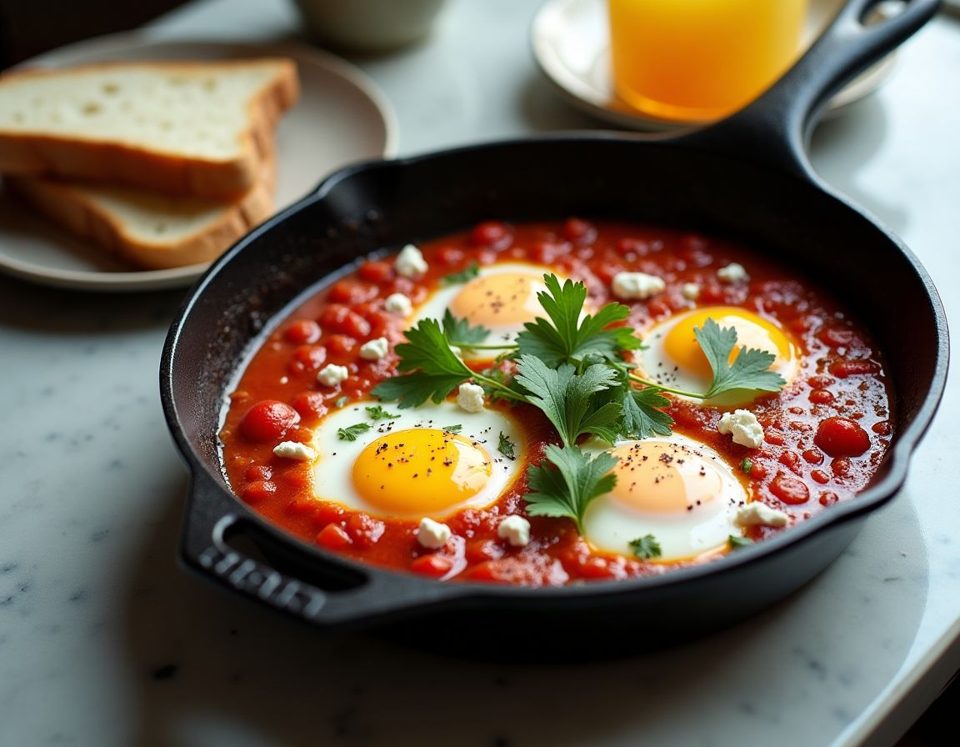
Eggs baked in spiced tomato and red pepper, feta, coriander, toasted sourdough
Contains: Eggs, Milk, Gluten
Sourdough, smashed avocado, lime, chilli flakes, toasted seeds
Contains: Gluten, Sesame
House granola, Greek yoghurt, berries, honey
Contains: Gluten, Tree nuts, Milk
Sandwiches
Roast chicken, bacon, tomato, lettuce, mayo on toasted white
Contains: Gluten, Eggs, Mustard
Grilled halloumi, roasted peppers, rocket, harissa yoghurt
Contains: Gluten, Milk
Coffee
No major allergens
Contains: Milk
Contains: Gluten
Cold drinks
No major allergens
No major allergens
Cakes
Warm, with salted butter
Contains: Gluten, Eggs, Milk
Dark chocolate, crème fraîche
Contains: Eggs, Milk, Soya
Allergen details come from the restaurant. If you have an allergy, please tell staff before you order.
Menu made with TablecodeTry it on your phone
Point your phone camera at the code. It opens the example café's real menu — exactly what a guest at table 7 sees. No app, no sign-up.
Pro
Got good photos already? Upload your own straight from your phone, on any plan, Free included. No food photographer? On Pro, press Create photo on a dish and a picture is made from its name and description in seconds.
Eggs baked in spiced tomato and red pepper, feta, coriander, toasted sourdough
Eggs baked in spiced tomato and red pepper, feta, coriander, toasted sourdough
This picture was made by Tablecode's photo tool from the dish name and description above — no camera involved.
Questions
Sign in, open your menu, change the number and press Save. Guests see the new price the next time they open the menu. The printed codes never change, so there is nothing to reprint.
One code per table — as folded table tents, round stickers or cards, each with the table's name. Download a print-ready PDF and print it on any office printer, or take it to a print shop.
A fast menu page in their phone browser. No app and no sign-up. Sections sit as tabs along the top, with search, filters for vegetarian, vegan, gluten-free and spicy dishes, and an Allergies button that hides anything containing the 14 major allergens you've marked.
Free gives you the menu, a code for every table, unlimited edits and your own dish photos, with up to 5 menu sections. Pro is $30 a month: unlimited sections, several menus behind the same codes, and Create photo on every dish.
Yes, on Pro. Add each one as its own menu and set the hours it's served, for example lunch 12:00–15:00 and dinner 17:30–22:00. Guests who scan see the menu being served right then and can switch to the others with one tap. When the Christmas menu is done, remove it. The codes on the tables stay the same.
Open your menu page or Settings and press Cancel plan — no need to message us. Pro keeps working until the end of the month you paid for, then your menu stays live on Free.
Yes — press Pause on your menu page. Guests who scan see a short "menu unavailable" note until you press Resume.